TL;DR
For the best results, treat on-page SEO as an ongoing checklist, not a one-time task. Small improvements to titles, content structure, internal links, image optimization, and FAQ sections can improve rankings, increase clicks, and help your WordPress website generate more qualified traffic and leads over time.
On-Page SEO Optimization Techniques for WordPress Websites

Keyword Research: Understanding what your audience is actively searching for.
Content Optimization: Structuring content that satisfies both users and search engines.
Image Optimization: Reducing load times without sacrificing quality.
Internal and External Linking: Building a logical link structure that distributes authority across your site.
Technical On-Page SEO: Permalinks, mobile-friendliness, speed, and schema markup.
WordPress SEO Plugins: Which tools simplify the process and which settings actually matter.
WordPress On-Page SEO Checklist
1. Choose one primary keyword for the page.
2. Match the content to the search intent behind that keyword.
3. Write a clear SEO title that includes the main topic.
4. Add a meta description that gives users a reason to click.
5. Use one H1 and organize the page with logical H2 and H3 headings.
6. Mention the main keyword naturally in the introduction.
7. Create a short, readable URL slug.
8. Add internal links to related service pages, blog posts, and resources.
9. Link to trustworthy external sources when they add value.
10. Compress images before uploading them to WordPress.
11. Use descriptive image file names.
12. Write useful alt text for important images.
13. Add FAQ content where it helps answer common search questions.
14. Use schema markup such as Article, FAQPage, or Service schema where relevant.
15. Track impressions, clicks, CTR, and rankings in Google Search Console.
Keyword Research for WordPress On-Page SEO
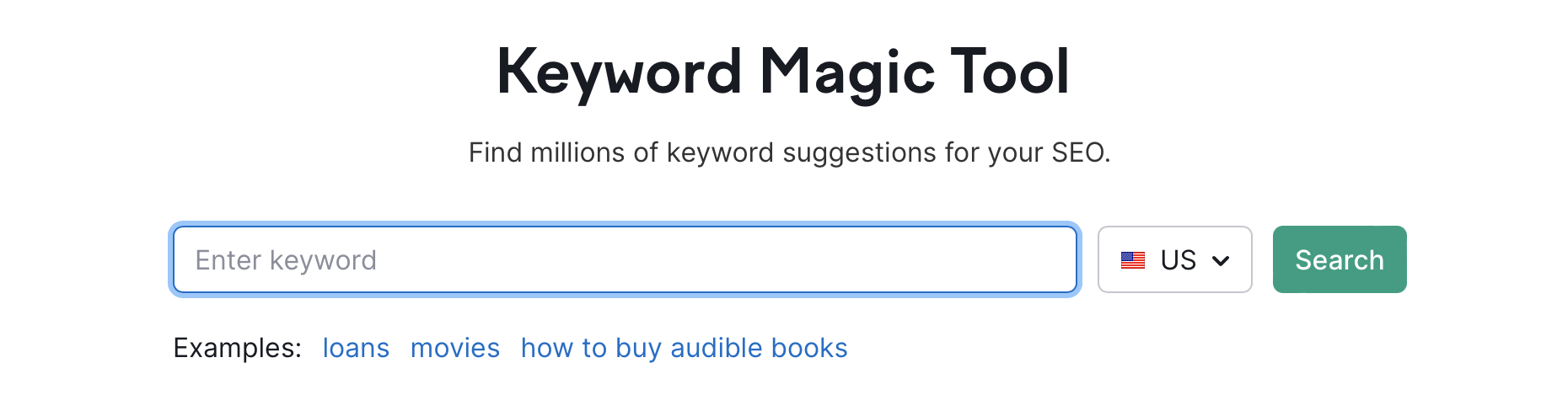
Before you write a single word of content, you need to know what your audience is searching for. That’s where keyword research comes in.
What is Keyword Research?
Keyword research is about finding the words people use online. They use these words to search for information.
These words and phrases are your keywords. It’s about understanding the language of your target audience so you can create content that resonates with them.
Why is Keyword Research Important for WordPress?
- Understand your audience: What are their pain points? What questions are they asking?
- Create relevant content: Develop content that directly addresses your audience’s needs.
- Attract targeted traffic: Draw visitors who are actively searching for what you offer.
- Improve your search engine ranking: Help Google understand what your content is about and rank it accordingly.
★
Finding Relevant Keywords for Your Niche:
Tools and Techniques
Okay, so how do you actually find these magical keywords? There are several tools and techniques you can use:
1. Google Keyword Planner: This free tool from Google is a great starting point. It allows you to research keywords, analyze search volume, and estimate competition.
2. SEMrush: A comprehensive SEO toolkit that offers in-depth keyword research capabilities, including competitor analysis and keyword gap analysis.
3. Ahrefs: Another powerful SEO tool with robust keyword research features, including keyword difficulty scores and backlink analysis.
4. Ubersuggest: A more affordable option that provides keyword suggestions, content ideas, and competitor analysis.
5. Google Trends: A free tool that shows the popularity of search terms over time.
6. Brainstorming: Don’t underestimate the power of brainstorming! Think about the questions your customers ask you, the problems they face, and the solutions you offer.
★
Long-Tail vs. Short-Tail Keywords:
Understanding the Difference
- Short-Tail Keywords: These are broad, generic keywords, typically consisting of one or two words (e.g., “WordPress SEO,” “website design”). They have high search volume but are also very competitive.
- Long-Tail Keywords: These are longer, more specific phrases (e.g., “how to improve website speed in WordPress,” “best SEO plugins for WordPress”). They have lower search volume but are also less competitive and often indicate a stronger buying intent.
Which type of keyword should you target?
The answer is: both! Think of it this way: short-tail keywords cast a wide net. Long-tail keywords target exactly who you want. A good SEO strategy involves a mix of both.
★
Analyzing Keyword Competition:
Assessing the Difficulty of Ranking
Just because a keyword has high search volume doesn’t mean you should automatically target it.
You also need to consider the competition. Analyzing keyword competition involves assessing how difficult it will be to rank for a particular keyword.
- Domain Authority of Competing Websites: Websites with high domain authority are generally harder to outrank.
- Page Authority of Ranking Pages: Pages with high page authority are also difficult to outrank.
- Content Quality of Ranking Pages: High-quality, comprehensive content is harder to compete with.
- Backlink Profile of Ranking Pages: Pages with a strong backlink profile are harder to outrank.
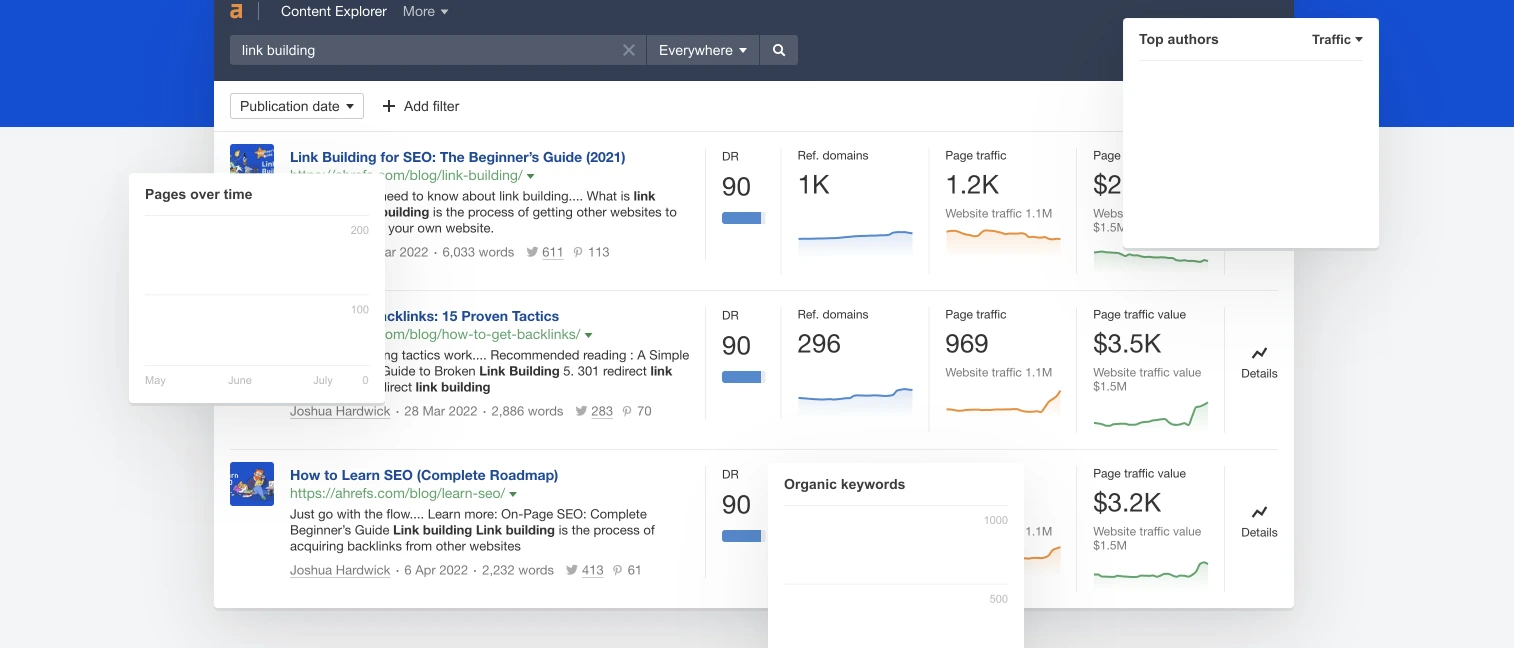
Want to see how hard it is to rank for a keyword? Tools like SEMrush, Ahrefs, and Moz can help.
By conducting thorough keyword research, you can identify the most relevant and profitable keywords for your WordPress website.
This will allow you to create content that attracts the right audience, improves your search engine ranking, and drives more traffic to your site.
Content Optimization for WordPress
Writing for Search Intent First
Heading Structure (H1–H4)
Content Length and Depth
Readability
Short paragraphs. Active voice. Sentences that vary in length. Grade 8–9 readability is the target for most WordPress business content, clear enough for a busy decision-maker to skim, but detailed enough to demonstrate expertise.
If you want your WordPress site built with proper content structure and SEO architecture from day one, our WordPress development team designs every site with these principles built in.
Image Optimization for WordPress SEO
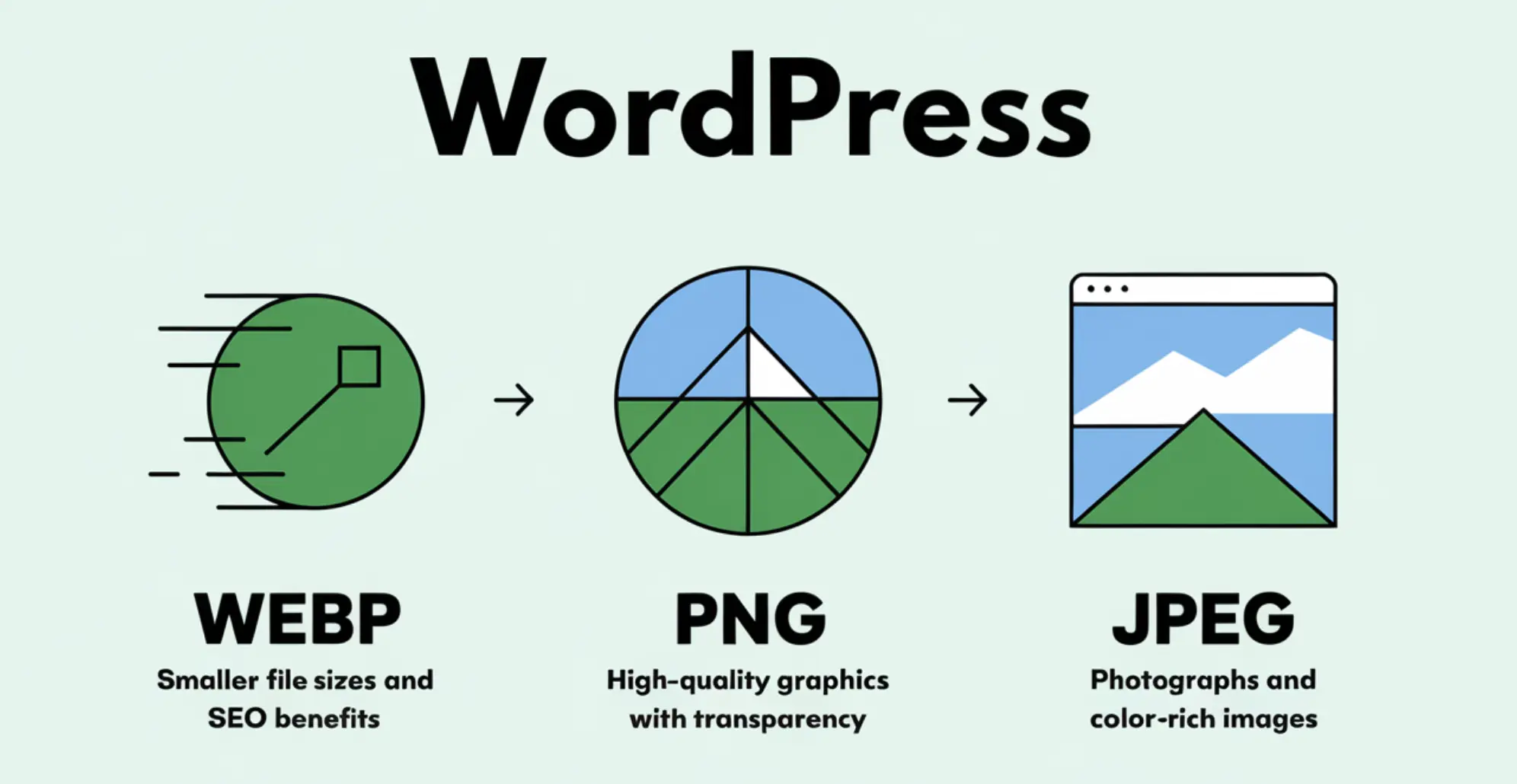
Images can significantly enhance your content, but they can also slow down your website if they’re not properly optimized.
Image optimization is the process of reducing the file size of your images without sacrificing quality.
Why Image Optimization Matters?
- Site Speed: Large image files can slow down your website, leading to a poor user experience and lower search engine rankings.
- SEO: Search engines use image alt text to understand what your images are about. Optimized images can help you rank higher in image search results.
- User Experience: Fast-loading images improve user engagement and reduce bounce rates.
★ Choosing the Right Image Format (JPEG, PNG, WebP)
The best image format for your WordPress website depends on the type of image you’re using:
- JPEG: Best for photos and images with lots of colors. JPEGs are lossy, meaning they lose some quality when compressed.
- PNG: Best for graphics, logos, and images with transparent backgrounds. PNGs are lossless, meaning they don’t lose quality when compressed.
- WebP: A modern image format that offers superior compression and quality compared to JPEGs and PNGs. WebP is supported by most modern browsers.
★ Compressing Images for Faster Loading Times
- TinyPNG: A free online tool that compresses PNG and JPEG images.
- Compress JPEG: Another free online tool for compressing JPEG images.
- ShortPixel: A WordPress plugin that automatically compresses images as you upload them.
- Imagify: Another WordPress plugin that offers image compression and optimization features.
★ Using Descriptive File Names
★ Writing Effective Alt Text
- Accessibility: It allows visually impaired users to understand the content of your images.
- SEO: Search engines use alt text to understand what your images are about.
Write clear, concise, and descriptive alt text that includes your target keywords. Imagine a photo of someone doing SEO.
A good alt text would be: “Person performing on-page SEO optimization on a WordPress website”.
- “How do I optimize images for SEO?”
- “What’s the difference between JPEG, PNG, and WebP?”
- “What should I put in the alt text?”
Internal and External Linking Strategies
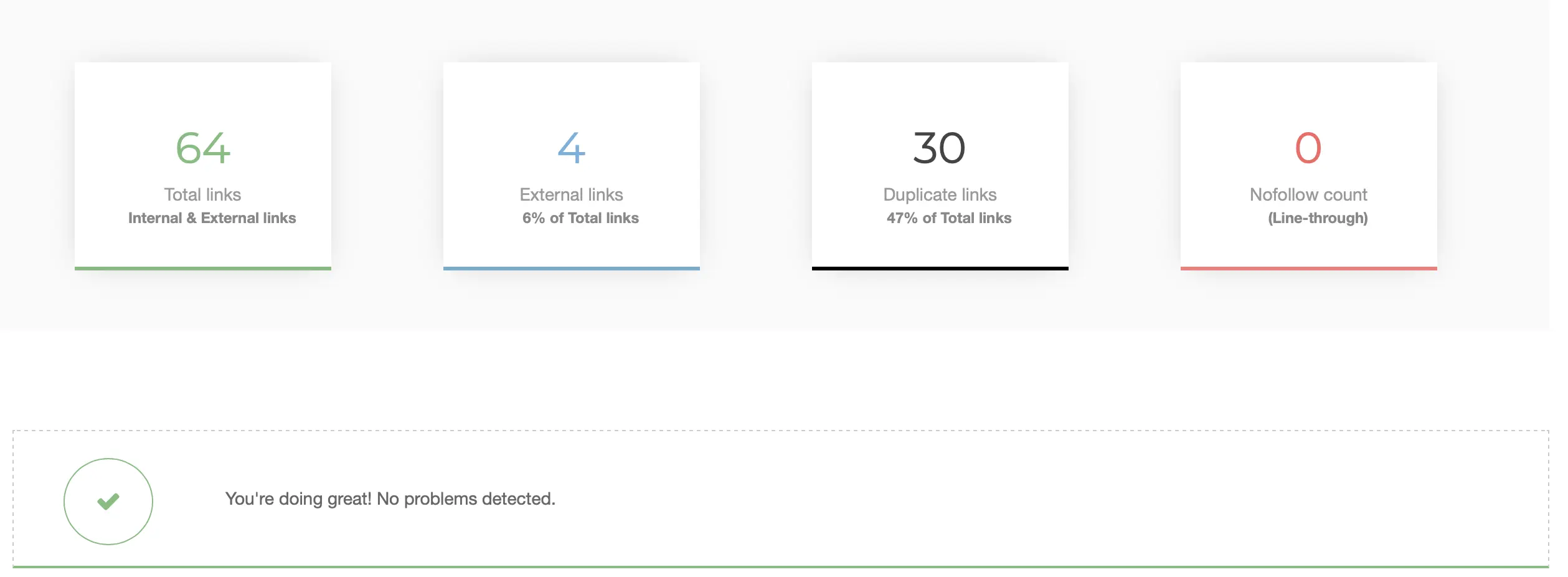
Link within your site (internal linking). Link to good websites (external linking). This helps both your visitors and your SEO.
What is Internal Linking?
Internal linking is the practice of linking from one page on your website to another page on your website.
It’s like building a roadmap for both users and search engines to navigate your site effectively.
Why Internal Linking is Important for SEO
- Improves Website Navigation: Helps users find relevant content on your site easily.
- Distributes Page Authority: Passes “link juice” (authority) from one page to another, boosting the ranking potential of linked pages.
- Helps Search Engines Understand Your Content: Provides context and relationships between different pages on your site.
- Increases Time on Site and Reduces Bounce Rate: Encourages users to explore more of your website.
★
Creating a Robust Internal Linking Structure:
Tips and Best Practices
- Link to Relevant Content: Only link to pages that are relevant to the topic being discussed.
- Use Descriptive Anchor Text: The anchor text (the clickable text of the link) should accurately describe the content of the linked page. For example, instead of “click here,” use “learn more about keyword research.” Here’s a place you can link to the Keyword Research section of the article! “
- Link Deeply: Don’t just link to your homepage. Link to internal pages that provide specific information or resources.
- Avoid Over-Linking: Don’t stuff your content with too many internal links. Focus on providing a natural and helpful user experience.
- Use a Logical Hierarchy: Structure your website in a way that makes sense and facilitates internal linking. Use categories and tags to organize your content.
- Check for Broken Links Regularly: Broken links? Bad! Use a tool like “Broken Link Checker” to find and fix them.
★
Linking to Authoritative External Resources:Building Credibility and Trust
- Builds Credibility and Trust: Linking to authoritative sources shows that you’ve done your research and are providing accurate information.
- Provides Additional Value to Your Readers: It lets your readers explore other helpful resources.
- Helps Search Engines Understand Your Content: It helps Google understand the context of your content.
- Link to Authoritative Websites: Choose websites that are reputable, trustworthy, and relevant to your topic. Government websites, academic institutions, and well-known industry publications are good choices.
- Use Relevant Anchor Text: Make your link text clear! Tell people what the link is about.
- Open Links in New Tabs: This keeps users on your website while allowing them to explore the external resource.
- Avoid Linking to Untrustworthy Websites: Be careful not to link to websites that are spammy, low-quality, or irrelevant.
Technical On-Page SEO Considerations for WordPress
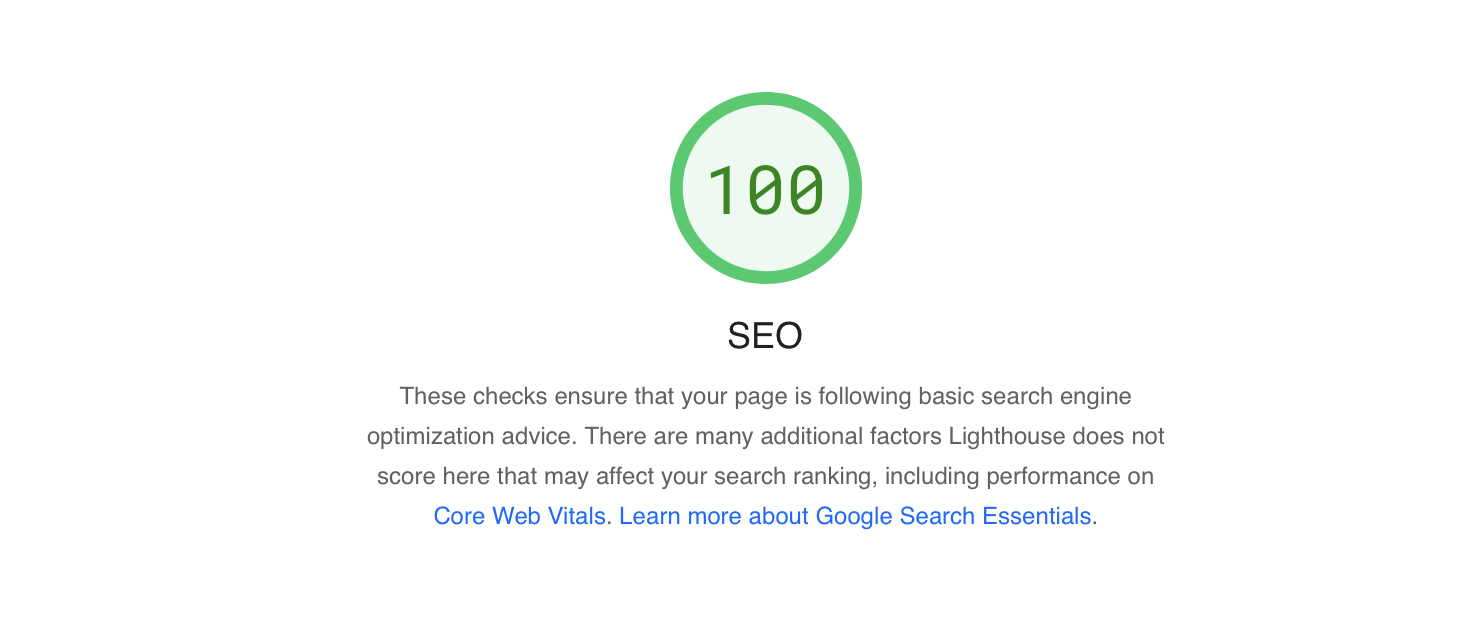
Beyond content and linking, certain technical aspects of your WordPress website can significantly impact your SEO performance.
These are the behind-the-scenes elements that help search engines crawl, understand, and index your site effectively.
★
Creating SEO-Friendly URLs (Permalinks):Best Practices for URL Structure
- Short and Concise: Easy to read and remember.
- Descriptive: Accurately reflect the content of the page.
- Keyword-Rich: Include your target keyword (if possible).
- Hyphenated: Use hyphens to separate words (e.g., on-page-seo-optimization).
- Lowercase: Use lowercase letters for consistency.
★
Mobile-Friendliness:Ensuring Your WordPress Site is Responsive
Almost everyone uses phones to browse the internet. That’s why your website needs to be mobile-friendly.
Google uses mobile-first indexing, meaning it primarily crawls and indexes the mobile version of your website.
- Use a Responsive Theme: Choose a WordPress theme that is designed to adapt to different screen sizes.
- Test Your Website on Mobile Devices: Check if your website is mobile-friendly! Use Google’s free tool to test it.
- Optimize Images for Mobile: Compress images to reduce loading times on mobile devices.
- Use a Mobile-Friendly Plugin: Consider using a plugin like AMP (Accelerated Mobile Pages) to improve the loading speed of your website on mobile devices.
★
Website Speed Optimization:Discussing Caching, CDNs, and Other Techniques
- Choose a Fast Web Hosting Provider: A good web hosting provider can significantly impact your website’s speed.
- Use a Caching Plugin: Caching plugins store static versions of your pages, reducing the load on your server. Popular caching plugins include WP Rocket, W3 Total Cache, and WP Super Cache.
- Use a Content Delivery Network (CDN): A CDN distributes your website’s content across multiple servers around the world, reducing the distance between your users and your server.
- Optimize Images: As discussed in the previous section, optimizing images is crucial for website speed.
- Minify CSS and JavaScript: Minification removes unnecessary characters from your CSS and JavaScript files, reducing their file size.
- Enable Gzip Compression: Gzip compression compresses your website’s files, reducing their size and improving loading times.
★
Schema Markup:Helping Search Engines Understand Your Content
Schema markup (also known as structured data). It’s code that helps Google understand your website.
It helps search engines understand the meaning and context of your pages, which can improve your search engine ranking and increase click-through rates.
- Articles: News articles, blog posts, etc.
- Products: Product information, pricing, availability, etc.
- Events: Event dates, locations, times, etc.
- Businesses: Business name, address, phone number, etc.
- Recipes: Ingredients, instructions, cooking times, etc.
You can add schema markup to your WordPress website manually or by using a plugin like Schema Pro or Rank Math.
Using WordPress SEO Plugins Effectively
Fortunately, you don’t have to be a technical wizard to implement many of these on-page SEO optimizations.
WordPress offers a plethora of SEO plugins that can simplify the process and automate many of the tasks.
★
Overview of Popular SEO Plugins (Yoast SEO, Rank Math, etc.):Briefly Compare and Contrast
- Yoast SEO: One of the most widely used SEO plugins. It offers features for title and meta description optimization, keyword analysis, XML sitemap creation, and more.
- Rank Math: Rank Math is a popular SEO plugin for WordPress. It helps you track keywords, add schema markup, and analyze your content. Plus, it’s easy to use!
- All in One SEO Pack: Another popular SEO plugin that offers a comprehensive set of features for on-page optimization.
- SEOPress: A user-friendly SEO plugin with a focus on simplicity and performance.
★
Configuring Your Chosen Plugin:Basic Setup and Key Settings
- Install and Activate the Plugin.
- Configure General Settings: Set your website’s title, meta description, and other global settings.
- Connect to Search Console: Link your plugin to Google Search Console for data and insights.
- Configure XML Sitemap Settings: Enable XML sitemaps to help search engines crawl your website.
★
Using Plugin Features for On-Page Optimization:Title and Meta Description Optimization, XML Sitemaps, etc.
- Title and Meta Description Optimization: Use the plugin to customize your title tags and meta descriptions for each page.
- Keyword Analysis: Use the plugin to analyze your content for keyword usage and readability.
- XML Sitemap Creation: Use the plugin to automatically generate an XML sitemap and submit it to search engines.
- Schema Markup Implementation: Use the plugin to add schema markup to your pages.
Optimizing for AI Search and Google AI Overviews
How to Structure Content for AI Overviews
- Use question-based H2 and H3 headings — “What is X?”, “How does X work?”, “Why does X matter?” These map directly to how users prompt AI tools.
- Write 40–60 word summary answers immediately after each heading, before expanding into detail. AI systems extract these concise answers first.
- Use structured formats — bullet points, numbered lists, and comparison tables are easier for AI to parse and reproduce than dense paragraphs.
- Add an FAQ section to every post — this is one of the strongest GEO signals you can add, because it directly mirrors how users interact with AI assistants.
Schema Markup and Structured Data
E-E-A-T Still Matters — More Than Ever
- Named authors with relevant credentials and a linked bio
- Specific, verifiable claims backed by authoritative sources
- Regular content updates with visible “Last updated” dates
- Internal consistency — your content should reflect genuine knowledge of the topic, not surface-level summaries
If you want your existing WordPress site audited and maintained to meet these technical standards month after month, our WordPress maintenance plans include performance checks, security monitoring, and technical updates.
Monitoring and Measuring Your On-Page SEO Success

You’ve put in the work to optimize your WordPress website for on-page SEO, but the job doesn’t end there. It’s crucial to monitor your progress, measure your results, and make adjustments as needed.
Thankfully, there are some fantastic free (and paid) tools to help you track your SEO success.
★
Using Google Analytics to Track Traffic:Setting Up Goals and Tracking Key Metrics
Google Analytics helps you understand your website visitors – where they come from, what they do, and if they buy anything.
It’s a must-have tool for any website owner looking to improve their SEO performance.
- Set Up Goals: Define specific goals for your website, such as increasing traffic, generating leads, or driving sales.
- Track Key Metrics: Monitor key metrics like:
- Organic Traffic: The number of visitors who come to your website from search engines.
- Bounce Rate: The percentage of visitors who leave your website after viewing only one page.
- Time on Site: The average amount of time visitors spend on your website.
- Conversion Rate: The percentage of visitors who complete a desired action, such as filling out a form or making a purchase.
- Page Views per Session: Average number of pages visited during a session.
- Analyze Your Data: Use Google Analytics to analyze your data and identify areas for improvement. Are you attracting the right audience? Are your visitors engaging with your content? Are you achieving your goals?
★
Using Google Search Console to Monitor Performance:Identifying and Fixing Errors
Google Search Console is a free tool that provides insights into how Google crawls, indexes, and ranks your website.
It’s an invaluable resource for identifying and fixing technical SEO issues.
- Submit Your Sitemap: Submit your XML sitemap to Google to help them crawl your website more efficiently.
- Monitor Crawl Errors: Identify and fix any crawl errors that prevent Google from accessing your content.
- Check Index Coverage: Make sure your important pages are being indexed by Google.
- Analyze Search Queries: See the keywords that people are using to find your website in search results.
- Monitor Backlinks: Track the websites that are linking to your site.
- Core Web Vitals: Keep an eye on these metrics that measure page experience.
- Mobile Usability: Make sure your website is mobile-friendly.
★
Analyzing Keyword Rankings:Tracking Your Progress
- SEMrush: A comprehensive SEO toolkit that offers keyword tracking, competitor analysis, and site auditing features.
- Ahrefs: Another powerful SEO tool with robust keyword tracking and backlink analysis capabilities.
- SERPwoo: (Now part of SE Ranking) A keyword rank tracker.
- Google Search Console: While not a dedicated rank tracker, Search Console provides data on the average position of your keywords in search results.
Conclusion: Mastering On-Page SEO for WordPress
If you’d rather skip the trial and error and get a WordPress site that’s built with proper SEO architecture from day one, clean code, fast load times, structured content, and full technical optimization — our WordPress development team builds exactly that.
And if your existing site needs ongoing care, updates, backups, security monitoring, and performance checks — our WordPress maintenance plans keep everything running at its best, month after month.
FAQ
What is on-page SEO optimization for WordPress?
What are the most important on-page SEO factors for WordPress?
The most important factors include keyword research and proper keyword placement, content quality and structure, image optimization with descriptive alt text, internal and external linking, SEO-friendly URLs, mobile responsiveness, page speed, and schema markup.
Using an SEO plugin like Yoast SEO or Rank Math helps manage most of these directly within WordPress.
What is the difference between long-tail and short-tail keywords?
Short-tail keywords are broad, generic terms like “WordPress SEO” that have high search volume but are very competitive. Long-tail keywords are longer, more specific phrases like “how to improve website speed in WordPress” that have lower search volume but less competition and often indicate stronger buying intent. A good SEO strategy targets both types.
Which SEO plugin should I use — Yoast SEO or Rank Math?
Both are excellent choices. Yoast SEO is ideal for beginners, offering clear guidance on title and meta description optimization, keyword analysis, and XML sitemaps.
Rank Math offers more advanced features in its free version, including schema markup and keyword tracking. The best choice depends on your experience level and specific needs.
How does image optimization affect SEO?
Image optimization affects SEO in two main ways. First, properly compressed images improve page loading speed, which is a direct Google ranking factor.
Second, descriptive file names and alt text help search engines understand what your images are about, improving your chances of appearing in image search results. Using modern formats like WebP provides superior compression without sacrificing quality.
How long does it take to see results from on-page SEO optimization?
On-page SEO is a medium to long-term strategy. Technical improvements like page speed and meta tag updates can show results within a few weeks. Content improvements and keyword ranking changes typically take 2 to 6 months of consistent effort.
Regular monitoring through Google Search Console and Google Analytics is essential to track progress.