TL;DR
- What’s actually driving WordPress breaches in 2026, with real numbers from Wordfence and Patchstack — not speculation
- What changed in how attackers operate (they’re now hiding inside legitimate files, not just dropping new ones)
- A concrete checklist for locking down a WordPress site, including passkeys — which still require a plugin, not a WordPress core feature
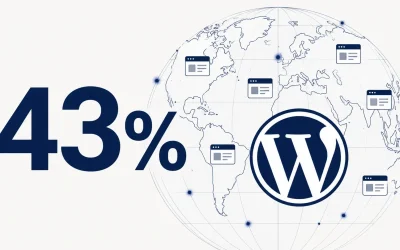
A website is rarely just a nice-to-have anymore — it’s often the core of a business, a communication channel, or a creative platform. WordPress now powers roughly 43% of all websites on the internet, which makes it the single largest target surface in the CMS world by a wide margin.
The Evolving Threat Landscape

The attacks site owners actually deal with:
- Brute Force Attacks: Automated tools guessing login credentials at scale. Wordfence alone blocks over 6.4 billion brute-force attempts every month across the sites it protects — this isn’t a rare event, it’s constant background noise against every WordPress site with a public login page.
- Malware Injections: Attackers insert malicious code to steal data or hijack the site. Outdated plugins and themes remain the most common entry point.
- Cross-Site Scripting (XSS): Malicious scripts injected through forms and input fields, used to steal data or alter site behavior.
- SQL Injections: Attackers manipulate database queries through vulnerable forms to access or corrupt data directly.
- Phishing Attacks: Fake emails or messages designed to trick site owners into handing over login credentials — often convincingly disguised as legitimate WordPress or hosting notifications.
- Outdated Software: Still the single biggest risk factor. Patchstack found that 57% of vulnerabilities disclosed in the first half of 2025 required no authentication at all — meaning an attacker doesn’t even need stolen credentials to exploit them, just an unpatched plugin sitting on your site.
What actually changed in 2026: attackers have shifted away from simply dropping new malicious files onto a compromised site — the kind of thing a “scan and delete” security plugin catches easily.
Key WordPress Security Trends for 2026
AI-Powered Attacks
For WordPress specifically, this shows up in a few concrete ways: AI-generated phishing emails that no longer have the broken grammar and generic greetings that used to be the easiest tell, and malware that’s harder to spot at a glance — file names with deliberate near-misspellings (securiry-plugin instead of security-plugin), or base64-encoded PHP payloads designed to slip past a quick manual review.
- Keep security plugins and their malware definitions current. Static, signature-based scanning still catches the majority of attacks, but only if it’s actually up to date.
- Watch for behavioral anomalies, not just known signatures — unexpected admin users, unfamiliar outbound emails, files that shouldn’t exist.
- Train whoever manages the site to recognize AI-polished phishing. The old advice (“look for typos”) doesn’t hold up anymore; suspicious requests (urgent password resets, unusual payment changes) matter more than sloppy writing now.
A zero-trust security model — verifying every access attempt rather than assuming anything inside the network is safe — is worth adopting specifically because AI-assisted attacks are better at mimicking legitimate behavior than they used to be.
API Security
This isn’t theoretical. In July 2026, security researchers disclosed “wp2shell” — a chained vulnerability (CVE-2026-63030 and CVE-2026-60137) in WordPress core’s REST API batch endpoint that allowed a single, unauthenticated HTTP request to escalate all the way to remote code execution, no plugins or misconfiguration required.
Data from Wiz found that 60% of organizations running WordPress had at least one vulnerable instance at the time of disclosure, and 25% had it exposed directly to the internet. WordPress pushed a forced automatic patch (7.0.2 and backports), but the case is a clean example of why “the REST API is core, so it’s automatically safe” is the wrong assumption.
- Confirm forced auto-updates are working, don’t assume. WordPress force-pushed the wp2shell patch, but verifying your site actually applied it (via WP-CLI or Dashboard → At a Glance) takes two minutes and catches the sites where auto-update silently failed.
- Restrict what the REST API exposes. The
/wp-json/wp/v2/usersendpoint hands out usernames to anyone by default — a reconnaissance step most brute-force campaigns start with. Blocking or filtering endpoints you don’t actively use shrinks the attack surface.
- Use strong authentication for any custom API integration — API keys or OAuth 2.0, not shared secrets — and rate-limit requests to blunt brute-force attempts against the endpoints you do need exposed.
- Encrypt all API traffic over HTTPS, and route it through a web application firewall capable of inspecting API-specific traffic, not just standard page requests.
Supply Chain Vulnerabilities
This isn’t rare. Patchstack tracked 11,334 new vulnerabilities across the WordPress ecosystem in 2025 — a 42% jump from the year before — the overwhelming majority in third-party plugins and themes rather than WordPress core itself.
- Choose plugins with an active maintenance history, not just a high install count. Check the changelog for regular updates and how quickly past vulnerabilities were patched — a plugin untouched for a year is a bigger risk than a smaller one updated monthly.
- Check the developer’s track record before installing, not after something breaks. A vulnerability database lookup takes thirty seconds and can save a compromised site.
- Run a vulnerability scanner that checks your actual installed plugins against known CVEs — not just a generic malware scan — since the gap between disclosure and your site’s patch status is exactly what supply chain attacks exploit.
- Remove inactive plugins and themes — deactivated doesn’t mean safe. An inactive plugin with an unpatched vulnerability is still exploitable code sitting on your server.
Passwordless Authentication
Passwords remain one of the weakest links in WordPress security — reused across sites, easy to phish, and often the actual point of entry rather than some more exotic exploit. Sucuri and Wordfence data consistently shows that roughly 81% of hacked WordPress sites trace back to weak or stolen credentials, not a sophisticated zero-day.
Here’s what’s actually true in 2026: WordPress core still doesn’t include built-in passkey support. Passwordless login — passkeys, magic links, one-time codes — remains something you add through a plugin, not a native feature.
GDPR, Privacy, and the New EU Cyber Resilience Act
What’s genuinely new for 2026: the EU’s Cyber Resilience Act introduces mandatory vulnerability reporting starting September 11, 2026 — a hard deadline just weeks away as of this writing. It applies to “products with digital elements” sold into the EU market, which in practice includes commercial WordPress plugins and themes.
If you develop or sell WordPress products with EU customers, actively exploited vulnerabilities now need to be reported to ENISA within 24 hours of becoming aware of them, not handled quietly through a private patch. If you’re a site owner rather than a plugin developer, this doesn’t create a direct reporting obligation for you — but it does mean the plugins you rely on are entering a stricter disclosure regime, which should mean faster, more public patching when something serious is found.
- Keep your privacy policy current and genuinely easy to find, not buried in a footer link nobody clicks.
- Use clear cookie consent — no dark patterns, no pre-checked boxes.
- Collect only the data you actually need, and have a real basis for asking before you collect it.
- If you develop or distribute WordPress plugins or themes commercially into the EU, get familiar with CRA reporting obligations now — the September 2026 deadline doesn’t have a grace period.
Decentralized Identity
Decentralized identity (DID) — giving users self-sovereign control over their online identity instead of relying on centralized logins — is accelerating faster at the regulatory level than most people realize. The EU’s eIDAS 2.0 regulation requires every member state to offer citizens a Digital Identity Wallet by the end of 2026, and the broader DID market is projected to hit $7.4 billion this year.
The honest picture for WordPress specifically: none of that momentum has reached WordPress core yet. This remains a macro identity and government-services trend, not something showing up as a WordPress feature or even a mature plugin ecosystem.
Managed Security Services
- Real-time malware scanning, not just a weekly or monthly check — the gap between infection and detection is where damage compounds.
- A web application firewall (WAF) filtering malicious traffic before it reaches your site at all.
- A demonstrated response process for when something does get through — not just detection, but a plan for what happens next.
- Track record and responsiveness, not just marketing claims — ask how they’ve handled past incidents, not just what features are listed on the pricing page.
If you’d rather have this handled than manage it yourself, Kiwistic’s malware removal and security service covers exactly this — ongoing monitoring plus response if something does get through, not just a one-time cleanup.
Zero-Day Exploits
security researchers disclosed the WordPress core vulnerability chain, WordPress shipped a patch within days, and mass exploitation attempts began almost immediately after the technical details went public — watchTowr’s principal researcher described “widespread impact… across organizations of every size and every vertical” within hours of the exploit code becoming available. The window between “patch exists” and “your site is actually updated” is where zero-days do their damage, not the initial disclosure itself.
- Confirm automatic updates are genuinely working, not just enabled. WordPress force-pushed the wp2shell patch to affected sites, but “forced” doesn’t mean “guaranteed” — verify your site actually took the update rather than assuming it did.
- Run a web application firewall with active threat intelligence. Cloudflare deployed WAF rules for wp2shell before most site owners even knew the vulnerability existed — a good WAF buys you protection during the exact window a zero-day is most dangerous.
- Maintain real backups and a disaster recovery plan you’ve actually tested, not just configured once and forgotten.
- Monitor for unusual site behavior — new admin accounts, unexpected file changes — since a zero-day’s whole point is that no scanner has a signature for it yet.
Security Automation
Manual security work doesn’t scale, and it’s the kind of task most prone to human error precisely because it’s repetitive. IBM’s 2026 Cost of a Data Breach Report — released just weeks ago — found that organizations making extensive use of security AI and automation cut breach costs by an average of $1.93 million and shortened breach lifecycles by 65 days compared to organizations using none of it. That gap is the whole argument for automation in one number.
Worth noting from the same report: the return isn’t evenly distributed. Half of breached organizations already run AI agents for threat hunting and incident response, but only 18% point that same automation at vulnerability scanning and management — the part of the process that would catch a problem before it becomes an incident. That’s a meaningful gap if you’re deciding where to start.
Mobile Security
- A genuinely responsive site isn’t just a UX nicety; it reduces the chance visitors end up on a broken or partially-loaded page that’s easier to spoof or exploit.
- Content Security Policy (CSP) headers block unauthorized scripts from executing, which matters more on mobile browsers that are often slower to receive security patches than desktop counterparts.
- Fast load times reduce abandonment, but slow mobile performance also means visitors sometimes navigate away mid-load to unofficial cached or mirrored versions of a page — an underappreciated vector for phishing clones of legitimate sites.
Best Practices for Securing Your WordPress Site in 2026
1. Regular Updates
2. Strong Passwords and User Management
This is the highest-impact fix on this entire list: roughly 81% of hacked WordPress sites trace back to weak or reused credentials, not a sophisticated exploit. Enforce genuinely strong, unique passwords, and review user roles and permissions regularly — only give users the access level they actually need, and remove accounts that are no longer active rather than leaving them dormant.
3. Utilizing a WordPress Firewall
4. Regular Backups
Backups are the safety net for breaches, coding errors, and server failures alike. A reliable backup strategy means frequent backups (daily at minimum, hourly for active e-commerce sites), stored in more than one location, and — critically — actually tested. A backup you’ve never restored from is a backup you don’t actually know works.
5. Security Scanning and Monitoring
6. Secure WordPress Hosting
Conclusion
Security isn’t a single plugin or a one-time checklist — it’s an ongoing practice across hosting, updates, user management, and monitoring. If you’d rather have someone else own that practice than manage it yourself, get in touch and we’ll take a look at where your site actually stands.
FAQ
How can I keep my WordPress site secure without technical knowledge?
Start with the highest-impact, lowest-effort steps: enable automatic updates, use a password manager to set unique strong passwords for every account, and install one reputable security plugin (Wordfence, Sucuri, or similar) that handles firewall and malware scanning without requiring configuration expertise.
If that still feels like too much to manage, a managed security service or maintenance plan takes it off your plate entirely.
What are the common signs of a security breach on a WordPress site?
Unexpected admin users you didn’t create, unfamiliar files in your plugin or theme directories, sudden drops in search rankings (often from injected spam links), your site redirecting visitors elsewhere, or a hosting provider flagging malicious activity.
Given that 2026’s attacks increasingly hide inside legitimate files rather than adding new ones, a file-integrity monitor catches changes a casual look wouldn’t.
Are there any free security plugins available for WordPress users?
Yes — Wordfence, Sucuri Security, and iThemes/Solid Security all offer genuinely functional free tiers covering firewall protection and malware scanning. Free tiers typically lack real-time updates and advanced features like two-factor authentication, but they’re a legitimate starting point, especially paired with the free WPVulnerability plugin, which checks your specific installed components against known CVE databases.
Do I need to worry about the wp2shell vulnerability if my site is already updated?
If your WordPress core is on version 7.0.2, 6.9.5, 6.8.6, or later, you’re patched against wp2shell specifically. Worth verifying directly rather than assuming — check Dashboard > At a Glance or run wp core version via WP-CLI, since forced automatic updates don’t always apply successfully on every hosting environment.