TL;DR
- What to actually check before buying (speed, SEO structure, plugin compatibility, security)
- 10 paid themes worth considering in 2026, compared honestly — including which one Kiwistic builds client sites with
- How to match a theme to your specific goals instead of picking whatever’s most popular
Why Paid WordPress Themes Matter in 2026
Your website is often the first real interaction a potential customer has with your business and design carries most of the weight in that first judgment. Research from Stanford’s Web Credibility Project has consistently found that visual design is the dominant factor in whether people trust a website within the first few seconds of landing on it, before they’ve read a single word.
If you’re planning a redesign or a new WordPress site for your business, the theme decision below will shape nearly everything else about how the project goes.
Why Choose Paid WordPress Themes in 2026?
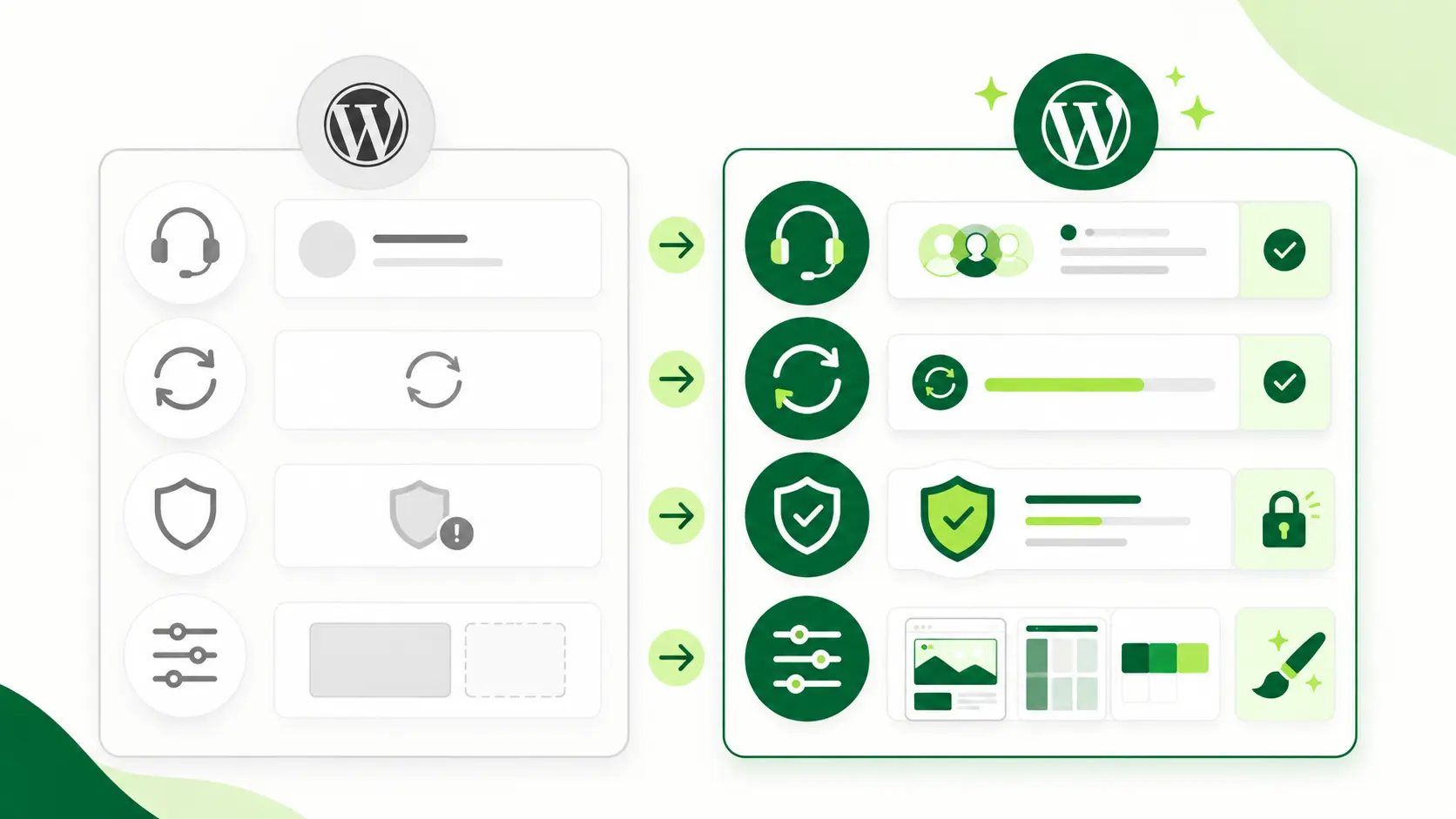
You might be thinking, “why pay for a theme when there are so many free ones out there?” Fair question. Here’s where paid WordPress themes actually earn their price tag.
Advantages Over Free Themes
1. Professional Design and Customization
2. Enhanced Features and Functionality
Paid themes often come with built-in functionality — sliders, email marketing integrations, custom widgets — that would otherwise require a stack of extra plugins. Fewer plugins means fewer conflicts and a leaner, faster site.
3. Better Security and Reliability
This one matters more than people think. Free themes are often built and maintained by hobbyists, which means updates can be irregular or nonexistent. Paid themes are typically built by teams who treat security as part of the product — regular patches, tested releases, faster response when a vulnerability is found.
4. Dedicated Support and Updates
Free theme support usually means a forum thread that may or may not get answered. Paid themes come with actual customer support — and if you’d rather not deal with theme updates and compatibility checks yourself, that’s exactly what ongoing WordPress maintenance is for.
The Business Case: What This Actually Costs You (or Saves You)
Think of your website as your digital storefront. A paid theme isn’t just a nicer coat of paint — it affects real numbers.
Speed and Conversions: According to Elementor’s 2026 analysis of WordPress themes, a one-second delay in page load time can reduce conversions by 7%. Free themes aren’t automatically slow, but paid themes optimized for performance give you a real head start here — and every second matters more than it seems.
User Experience: A well-built paid theme is easier to navigate, faster to load, and works consistently across devices. That keeps visitors on the site longer and reduces the chance they bounce before taking action.
Long-Term Cost: A cheap or free theme that needs constant plugin workarounds, security patching, or a redesign in a year isn’t actually cheaper — it just moves the cost from upfront to ongoing.
Key Features to Look for in Paid WordPress Themes (2026)

A. Responsiveness and Mobile-Friendliness
B. Speed and Performance Optimization
Speed isn’t a nice-to-have — it’s a conversion factor. Google’s own analysis of mobile ad landing pages found that as load time increases from 1 to 3 seconds, the probability of a visitor bouncing goes up by 32%. Separately, Google Consumer Insights research found that 53% of mobile visitors abandon a page that takes longer than 3 seconds to load.
Fast, well-optimized themes are built with clean code and minimal bloat, which means less reliance on extra plugins just to keep the site usable.
C. SEO Friendliness
D. Customization Options and Flexibility
E. Plugin Compatibility
F. Support and Documentation
G. Security Track Record
A theme with quarterly updates and years of consistent history is a safer bet than one with sporadic releases. If you want the deeper picture on protecting a WordPress site from common vulnerabilities, that’s covered in detail separately.
H. Accessibility
Top Choices: Best Paid WordPress Themes for 2026
1. Divi by ElegantThemes

What changed in 2026: Elegant Themes shipped Divi 5 on February 26, 2026, a ground-up rewrite of the builder, running 2-4x faster than Divi 4, at no price increase. If you evaluated Divi a couple of years ago and passed on performance grounds, it’s worth a second look now.
Features
- Visual drag-and-drop builder with real-time frontend editing, you see the actual page as you build it, not a separate preview mode.
- 800+ pre-built layouts across a wide range of industries, useful as a starting point rather than a blank canvas.
- Divi Dash for managing updates, themes, and plugins across multiple sites from one dashboard — genuinely useful if you (or your agency) manage more than one WordPress site.
Why we still recommend it: For small business clients who need a site that’s easy to hand off — where the client can log in and update their own content without breaking the layout — Divi’s visual builder has the shallowest learning curve of any page builder we’ve used. That matters more than any individual feature when a client isn’t a developer.
Pricing (2026)
- $89/year — unlimited sites, includes Divi theme, Divi Builder, Extra, Bloom, Monarch, and Divi Dash
- $249 one-time (Lifetime) — same package, no renewal, breaks even against the yearly plan in under 3 years
- $277/year (Divi Pro) — adds Divi AI tools, cloud storage, and VIP support on top of everything above
Best For
2. Astra by Brainstorm Force

Features
- Lightweight core: Astra’s codebase is famously lean — under 50KB, compared to 300KB+ that many WordPress themes load before displaying any content. That translates directly into faster load times.
- Page builder compatibility: Works cleanly with Elementor, Beaver Builder, Spectra, Brizy, and the native Gutenberg editor — no lock-in to one builder.
- Starter Templates library: Hundreds of pre-built site templates you can import and customize instead of starting from a blank page.
Real-world credibility: Liquid Web — a managed WordPress hosting company — tested over 50 themes for WooCommerce performance and price and now recommends Astra to all their WooCommerce customers, a rare case of a hosting provider publicly endorsing a specific theme rather than staying neutral.
Pricing (2026)
- Free version available on WordPress.org — genuinely usable, not a stripped-down trial
Astra Pro starts at $59/year for a single site, unlocking the header builder, WooCommerce module, and premium blog layouts
- Essential Toolkit and Business Toolkit bundle Pro with additional plugins (Spectra Pro, premium templates, Elementor add-ons) at higher tiers — Astra has recently restructured these into “+AI” bundles that include hosting and AI site generation, so exact pricing shifts more often than most competitors. Check wpastra.com/pricing directly before buying.
Best For
3. Avada by Theme Fusion

Features
- Fusion Builder: A proprietary drag-and-drop builder with 75+ elements — containers, WooCommerce blocks, testimonials, pricing tables, and more — usable in both backend and front-end visual modes.
- 100+ pre-built demos spanning nearly every industry, from agencies to real estate to portfolios.
- 800+ global settings panel for deep customization without touching code.
The honest trade-off: Avada’s biggest strength is also its most common criticism — it’s a genuinely heavy, feature-dense theme. Long-time users regularly note that Fusion Builder’s shortcode structure can make pages feel bloated compared to leaner builders. If raw speed is your top priority, Astra or GeneratePress will outperform it out of the box. If you want maximum design flexibility in one package and are willing to optimize afterward, Avada still delivers.
Pricing (2026)
- $69 for a regular license — a single site, lifetime updates, and 6 months of support
- Support renewal after the first 6 months costs extra (roughly $20+/year) — factor that into the real cost if you’re not planning to set-and-forget
Best For
4. GeneratePress by Tom Usborne
Features
- Ultra-lightweight core: Under 30KB with a default install that loads in just 2 HTTP requests — no jQuery dependency, no render-blocking scripts.
- Modular architecture: GP Premium features load only on the pages that use them, so performance overhead stays proportional to what you actually turn on, not a fixed global weight.
- Theme Builder (Premium): Build custom headers, footers, and page elements with conditional display rules — show a different header on your blog vs. your homepage, for example, without a plugin.
- Full page builder compatibility: Works cleanly with Elementor, Beaver Builder, and its own block-based builder, GenerateBlocks.
Real-world credibility: In controlled PageSpeed Insights tests, GeneratePress consistently scores 95+ on both mobile and desktop — a level most theme builders promise and few actually deliver.
Pricing (2026)
- Free version on WordPress.org — fully functional core theme, no artificial feature caps on the basics
- GP Premium: $59/year, covering up to 500 sites — unlocks the Theme Builder, WooCommerce integration, and 80+ starter templates
- GeneratePress One: $149/year — bundles GP Premium with GenerateBlocks Pro (block-based page builder) and GenerateCloud (asset library)
- Lifetime option available at $249 for GP Premium
Best For
5. OceanWP

Features
- Modular extension system: Rather than one bloated premium package, OceanWP splits functionality into individual extensions (sticky header, mega menu, WooCommerce enhancements, etc.) — install only what you actually need.
- 70+ pre-built demo sites with one-click import, covering everything from simple blogs to full e-commerce stores.
- Deep WooCommerce integration, including multi-step and distraction-free checkout flows built specifically to reduce cart abandonment.
The honest trade-off: With the companion Ocean Extra plugin and several premium extensions active, performance sits in the middle of the pack rather than at the top — comparable multipurpose flexibility, but noticeably heavier than a speed-first theme like GeneratePress or Astra. If you only need a handful of extensions, the free version alone often covers small business needs without added weight.
Pricing (2026)
- Free version on WordPress.org — genuinely functional on its own for many small sites
- Premium extensions and bundles start in the $30-50/year range for a single site, scaling up for multi-site and agency bundles — OceanWP runs frequent promotional pricing, so check oceanwp.org/pricing directly for current rates rather than relying on a fixed number here
Best For
6. Salient

Features
- Built on WPBakery (formerly known as Visual Composer) — a front-end and back-end page builder with 65+ custom design elements built specifically for Salient.
- Off-canvas menu system with 4 distinct styles, a signature Salient feature that’s become one of its most recognizable design patterns.
- Rich media elements: video backgrounds, animated transitions, and image comparison sliders built in, aimed squarely at visually driven sites.
Worth knowing before you buy: Salient runs on WPBakery, a shortcode-based builder — not the block editor (Gutenberg) that WordPress ships with by default. If you specifically want a Gutenberg-native workflow, ThemeNectar’s separate product, Nectarblocks, covers that; the two aren’t interchangeable, and content doesn’t convert between them.
Pricing (2026)
- $60 regular license — a single site, lifetime updates
- $2,950 extended license — only relevant if you’re reselling the end product commercially, not a typical small-business purchase
Best For
7. Jupiter X by Artbees

Features
- Elementor-native, without the Pro subscription: Dozens of built-in widgets replace common Elementor Pro functionality — theme builder, dynamic content, custom code — included in the license instead of a separate recurring cost.
- White Label mode: Removes all Jupiter X branding from the WordPress dashboard, aimed specifically at agencies delivering client sites under their own name.
- 460+ pre-built templates spanning AI/professional services, e-commerce, restaurants, and more, built for fast, confident launches rather than starting from scratch.
Real-world credibility: Multiple agencies reviewing Jupiter X on Artbees’ own pricing page describe using it across dozens of client sites over several years specifically for its reliability and update consistency — the kind of long-term feedback that matters more than a first-impression review.
Pricing (2026)
- $59 for a single-site license (via ThemeForest) — lifetime updates, bundled plugins worth considerably more if purchased separately
- Bulk licenses (10-100+ sites) available directly through Artbees for agencies managing multiple client projects, at a lower per-site cost than buying individually
Best For
8. Neve by Themeisle

Features
- Lightweight core with full page builder compatibility: Works cleanly with Elementor, Gutenberg, Bricks, and Beaver Builder — no forced lock-in to one editor.
- Header/footer builder included even in the free version, letting you customize site structure without a separate plugin.
- Starter templates: 100+ pre-built site imports across niches, adjustable without touching code.
Real-world credibility: Independent testing by SeedProd’s 2026 theme comparison found Neve’s resource usage sits in the mid-range — heavier than Astra or GeneratePress, but well within normal limits on any decent host, especially with a caching plugin. The most common criticism across independent reviews isn’t performance — it’s that Neve’s default designs read as more understated than flashier, heavier alternatives.
Pricing (2026)
- Free version on WordPress.org — full header/footer builder and dozens of starter templates included
- Neve Pro Personal: $69/year (1 site)
- Neve Pro Business: $149/year (multiple sites)
- Neve Pro Agency: $259/year (higher site limits, white-label option)
- Lifetime plans available for each tier at a one-time cost
Best For
9. Newspaper

Features
- tagDiv Composer: A front-end drag-and-drop builder purpose-built for content-heavy sites — layouts, ad placements, and article templates are designed for publishing workflows specifically, not adapted from a generic page builder.
- tagDiv Cloud Library: Free access to a large, continuously updated collection of pre-built sections, pages, and article layouts you can import directly.
- Built-in monetization tools: Native support for responsive Google Ads/AdSense placements and WooCommerce, without needing separate plugins to run ads alongside a shop.
Real-world credibility: Reviewers on tagDiv’s own site — a mix of long-term publishers and agencies — consistently point to update frequency and support responsiveness as the reason they’ve stuck with the theme across multiple projects, not just the initial feature set.
Pricing (2026)
- $59 for a regular license — a single site, 1 year of updates and support included, with renewal available afterward
- Unlimited sites allowed under the ThemeForest regular license terms (unusual — most competitors cap this at one site per license)
Best For
10. X Theme by Themeco

Features
- Cornerstone page builder (included as a plugin with X, native in Pro) — drag-and-drop editing with a header, footer, and layout builder.
- 100+ prefab elements including dynamic content blocks that can pull data from post meta, ACF fields, or third-party REST APIs.
- 4 design “Stacks” (Integrity, Renew, Icon, Ethos) as distinct starting-point styles, rather than one generic default theme look.
Worth knowing before you buy: If you’re choosing between X and Pro, the difference comes down to Cornerstone access — Pro includes the full builder (plus an exclusive CSS Grid layout tool) natively, while X requires installing Cornerstone separately, with a smaller feature set. For most new buyers in 2026, Themeco itself steers people toward Pro; X remains a valid, lower-cost option mainly for those who don’t need the full builder toolkit.
Pricing (2026)
- X Theme: $79 for a single site (ThemeForest regular license)
- Pro (Themeco’s current flagship): $99/year for a single site, or $249/year for unlimited sites — includes native Cornerstone access
Best For
10 themes, one decision and you don't have to make it alone.
How to Choose the Right Paid WordPress Theme for Your Needs in 2026
1. Identify Your Website Goals
2. Determine Your Budget
3. Consider Your Technical Skills
4. Read Reviews and Testimonials
Before buying, check independent reviews — not just the testimonials on the theme’s own sales page. Trustpilot and G2 are good starting points for unfiltered feedback on support quality and long-term reliability, not just first-impression polish.
5. Take Advantage of Demos and Trials
Conclusion
Not Sure Which One Fits Your Project?
That’s a conversation, not a guessing game. Tell us what you’re building and we’ll tell you honestly which theme fits — including if the answer is “none of these, here’s what we’d actually build it on instead.”