TL;DR
- 7 plugins worth considering in 2026, with real pricing and honest trade-offs — including the caching plugin we actually use on client sites
- How to choose between competing options (Elementor vs. Beaver Builder, for example) instead of installing both
- Why a security plugin belongs on this list just as much as a page builder does
Building a WordPress Site? These Plugins Will Make Your Job Easier
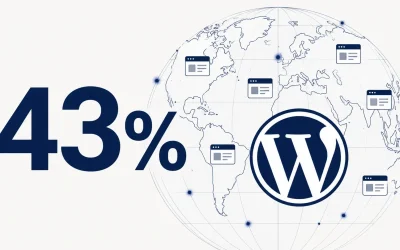
WordPress is popular for a reason, it’s flexible, and a huge ecosystem of plugins means you rarely have to build something from scratch. But that same ecosystem is the problem: with tens of thousands of options, most “essential plugins” lists just repeat the same six names without telling you why, or when one might actually be the wrong fit for your site.
Plugins are add-ons that extend what your WordPress site can do, page building, forms, SEO, speed, security without writing custom code. The right ones for your site depend entirely on what you’re actually building, not a universal list everyone should install identically.
1. Elementor

Elementor is the most widely used page builder in the WordPress ecosystem, over 22 million sites run on it. It’s a strong default choice specifically because of that scale: more tutorials, more third-party widget add-ons, and more developers already familiar with it than any competitor.
The free version is genuinely capable, drag-and-drop editing, live preview, and a solid template library without paying anything. Elementor Pro ($59/year for a single site, scaling to $399/year for agency use) adds the Theme Builder, WooCommerce builder, popup builder, and premium templates.
It integrates cleanly with most WordPress themes and works well alongside WooCommerce for e-commerce builds.
Best for: Sites that need broad plugin/widget compatibility and access to the largest talent pool if you’ll eventually hand the site off to another developer.
2. Beaver Builder

Beaver Builder is Elementor’s main alternative, and the choice between them mostly comes down to one thing: Elementor has gone all-in on AI (an agentic assistant, AI-generated content and animations), while Beaver Builder deliberately has none, no built-in AI features at all, betting instead on stability and a smaller, more predictable codebase.
Best for: Developers and agencies who want a lighter, more predictable builder without AI features bolted on, and don’t want per-site pricing limits as they take on more client work.
3. WPForms
WPForms is the most straightforward way to build contact forms, surveys, and payment forms on WordPress without touching code, a drag-and-drop builder with pre-built templates for common use cases.
Pricing starts at $49.50/year (Basic, 1 site), but that’s a first-year introductory rate, renewal pricing roughly doubles to around $99/year. Higher tiers (Plus, Pro, Elite) add email marketing integrations, payment processing, and multi-site licenses. Every paid tier now includes WPForms AI for smart field suggestions, a 2026 addition.
Best for: Anyone who needs forms working today without a learning curve, just budget for the renewal price, not the intro price, when deciding if it fits your budget long-term.
4. Yoast SEO
Yoast SEO remains the most widely used SEO plugin in WordPress, installed on over 10 million sites the free version alone covers real technical fundamentals: content analysis, readability scoring, XML sitemaps, and basic schema markup, not a crippled trial.
Worth knowing: Rank Math is a legitimate free alternative worth comparing before you commit, it ships with more features in its free tier than Yoast’s, though Yoast’s longer track record and larger support community still make it the safer default for most sites.
Best for: Any WordPress site, honestly, the free version alone covers 80% of on-page SEO needs. Premium becomes worth it once you’re managing multiple keywords per page or need the bundled Local/Video/News modules.
Installing plugins is the easy part. Choosing the right ones isn't.
5. WP Rocket
WP Rocket is the caching plugin we actually use on client sites, so this one comes with more than a features list. WP Super Cache (free, maintained by Automattic) is a legitimate option for a simple blog, but for client work where performance and reliability matter, WP Rocket is what we reach for, most users see 70-80% faster load times immediately after activation, with no manual configuration required.
Why we use it over the free alternative: on client sites, we’re optimizing for Core Web Vitals and handing off something that keeps performing without us checking on it constantly. WP Rocket’s automatic critical CSS generation and cloud-based optimization features handle that with far less manual tuning than free alternatives require.
Best for: Any site where performance actually affects revenue or client satisfaction, a $59/year cost is easy to justify once the site is generating real traffic or sales. For a simple personal blog with no revenue pressure, WP Super Cache’s free tier is a reasonable starting point instead.
6. Jetpack
Jetpack, built by Automattic (the company behind WordPress.com), bundles security, performance, and marketing tools into one plugin, backups, basic malware scanning, spam protection via Akismet, social sharing, and site stats.
Worth knowing before relying on it for security specifically: independent testing in 2026 found Jetpack’s malware detection catches basic threats but consistently misses more sophisticated attacks that dedicated security plugins catch, and if it does find malware, cleanup isn’t included; that’s a separate $490 service call.
Best for: Backups and basic site monitoring bundled with WordPress.com integration. For malware protection and active threat defense specifically, pair it with (or replace it with) a dedicated security plugin, which is exactly where #7 comes in.
7. Wordfence
Given everything covered in our 2026 WordPress security guide, 81% of hacked sites tracing back to weak credentials, attacks increasingly hiding inside legitimate files, a dedicated security plugin belongs on this list as much as a page builder does. Jetpack’s built-in scanning, covered above, catches basic threats but consistently misses the more sophisticated attacks a dedicated tool is built to catch.
Wordfence combines an application-level firewall with a malware scanner, powered by Wordfence Intelligence, the most comprehensive publicly available WordPress vulnerability database, covering over 33,000 known CVEs.
The free tier’s one real limitation: firewall rules and malware signatures arrive 30 days behind what Premium users get. For most low-risk sites, that’s an acceptable trade-off.
Best for: Any WordPress site handling customer data or payments, or anyone who wants real security coverage rather than the basic scanning bundled into an all-in-one plugin like Jetpack. Start free, it’s genuinely capable and upgrade to Premium once the 30-day delay actually matters for your situation.
Conclusion
Not sure which of these actually fits your site, or want help setting any of them up correctly? Get in touch and we’ll walk through it with you.